Behavior Trees
Behavior trees (BTs) are the control-flow formalism that BehaVerify verifies. This page fixes the node taxonomy, the tick relation, and the conventions the rest of the theory section assumes.
Formal object
A behavior tree is a rooted tree \(T = (V, E)\) whose nodes are partitioned into three kinds — composites, decorators, and leaves. Each node carries a tick function
that takes a blackboard state \(\sigma \in \Sigma\) and returns a status \(s \in \mathcal{S} = \{\mathrm{SUCCESS}, \mathrm{FAILURE}, \mathrm{RUNNING}\}\) plus an updated state \(\sigma'\). A tick of the tree is one invocation of \(\mathrm{tick}\) on the root; a run is a sequence of ticks on the same blackboard.
Leaf nodes: conditions vs. actions
Every path through a BT ends at a leaf — the interface between the tree and the outside world. Following Colledanchise & Ögren’s textbook, BehaVerify distinguishes two leaf kinds with distinct visual shapes:
Leaf kind |
Shape |
Meaning |
|---|---|---|
Condition |
oval |
Pure predicate. Reads declared blackboard / environment variables; never mutates state; returns \(\mathrm{SUCCESS}\) iff the predicate holds and \(\mathrm{FAILURE}\) otherwise. RUNNING is not a valid return. |
Action |
rectangle |
Side-effecting step. Mutates blackboard state via a list of
|
The oval / rectangle convention is used consistently in every tree diagram on this site. The textbook also distinguishes between instantaneous actions (complete in one tick) and long-running actions (may return \(\mathrm{RUNNING}\) across ticks). BehaVerify supports both; semantically the only difference is whether \(\mathrm{RUNNING}\) is a permitted return.
Two further leaf variants appear in the user guide:
Environment checks are conditions scoped to environment variables only; structurally identical to conditions, they carry a separate DSL keyword (
environment_check) so the grammar validator can enforce the scope.Neural-action leaves are actions whose update is the output of an ONNX forward pass over the declared read-variables. See Neuro-Symbolic Behavior Trees for how BehaVerify lowers the network into SMV.
Composite nodes
Composite nodes have an ordered list of children and recurse into them. BehaVerify’s DSL supports three composite kinds, described in turn below.
Sequence
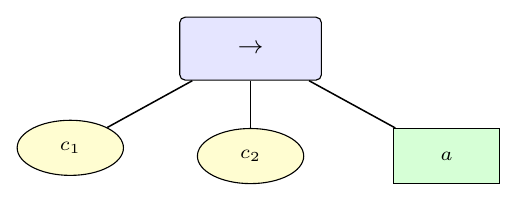
The Sequence composite \(\rightarrow\).
Sequence \(\rightarrow\) short-circuits on the first non-SUCCESS: ticking children \(c_1, \ldots, c_n\) in order, if some \(c_i\) returns FAILURE or RUNNING the sequence returns that status immediately; otherwise it returns SUCCESS. Use cases are classical conjunctions of pre-condition checks followed by an action (e.g. check obstacle-free \(\to\) move).
Selector (Fallback)
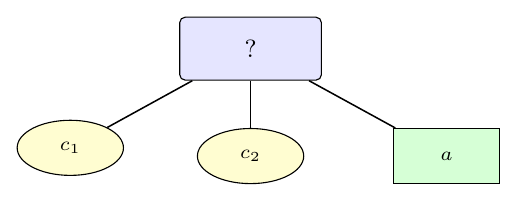
The Selector composite \(?\), also called Fallback.
Selector \(?\) is the dual of Sequence: it short-circuits on the first non-FAILURE. Returns SUCCESS/RUNNING as soon as some child does, else FAILURE. The canonical use is a priority-ordered list of strategies (e.g. try A, else try B, else fail).
Parallel
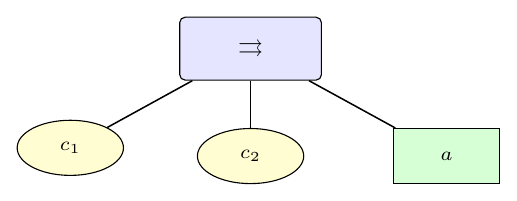
The Parallel composite \(\rightrightarrows\).
Parallel \(\rightrightarrows\) ticks every child on each
pass. Its return status is determined by a policy:
success_on_all succeeds iff every child succeeded;
success_on_one succeeds if at least one child did. RUNNING
overrides the respective success condition until the policy’s quorum
is reached. BehaVerify implements both policies natively.
Memory
Composite nodes may additionally carry a memory flag:
no flag – each tick restarts evaluation from the first child;
with_partial_memory– on re-tick, resume after the last RUNNING child;with_true_memory– additionally cache SUCCESS / FAILURE verdicts from already-evaluated children.
Memory gives BTs the state necessary to encode multi-step actions like navigate-to-pose that run across multiple ticks without restarting.
Decorator nodes
Decorators wrap a single child and either re-label its status or control how often it is ticked. BehaVerify’s DSL supports four kinds.
Inverter
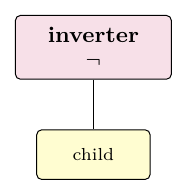
The Inverter decorator \(\neg\).
Inverter negates the child’s terminal status: SUCCESS becomes FAILURE and vice versa. RUNNING is passed through unchanged, so the decorator is well-defined on non-terminating children.
Repeat (N)
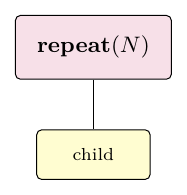
The Repeat decorator \(\mathrm{repeat}(N)\).
Repeat(\(N\)) ticks the child up to \(N\) times. It succeeds iff every invocation succeeds; any FAILURE stops the loop early and is returned as the decorator’s own status.
Status override (X_is_Y)
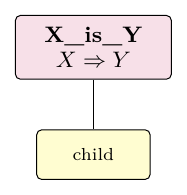
The X_is_Y decorator maps status \(X\) to \(Y\).
X_is_Y is the generic status-override. The DSL lets the author
pick any \(X, Y \in \{\mathrm{SUCCESS}, \mathrm{FAILURE},
\mathrm{RUNNING}\}\); classical aliases like success_is_running or
failure_is_success are expressible as instances.
One-shot
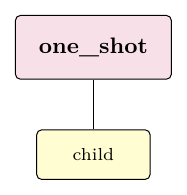
The One-shot decorator.
One-shot with mode success_only / success_failure /
failure_only freezes the subtree after the first time the chosen
terminal status is observed, returning that status on every subsequent
tick without re-evaluating the child.
Sub-trees
A sub_tree binds a named fragment of BT that can be inserted at
multiple sites using insert { name }. Insertion is purely
syntactic — each insertion conceptually substitutes the named
fragment in place. Insertions with parameters are not supported; if a
sub-tree needs to specialise, declare it twice.
Tick flow: an example
The diagram below shows three consecutive ticks of the selector tree
?
├── check(hungry)         (condition, oval)
├── check(battery_ok)     (condition, oval)
└── action(eat)           (action, rectangle)
on different blackboard states. Numbers on the top-right of each evaluated child mark the evaluation order; greyed children were skipped by the selector’s short-circuit rule.
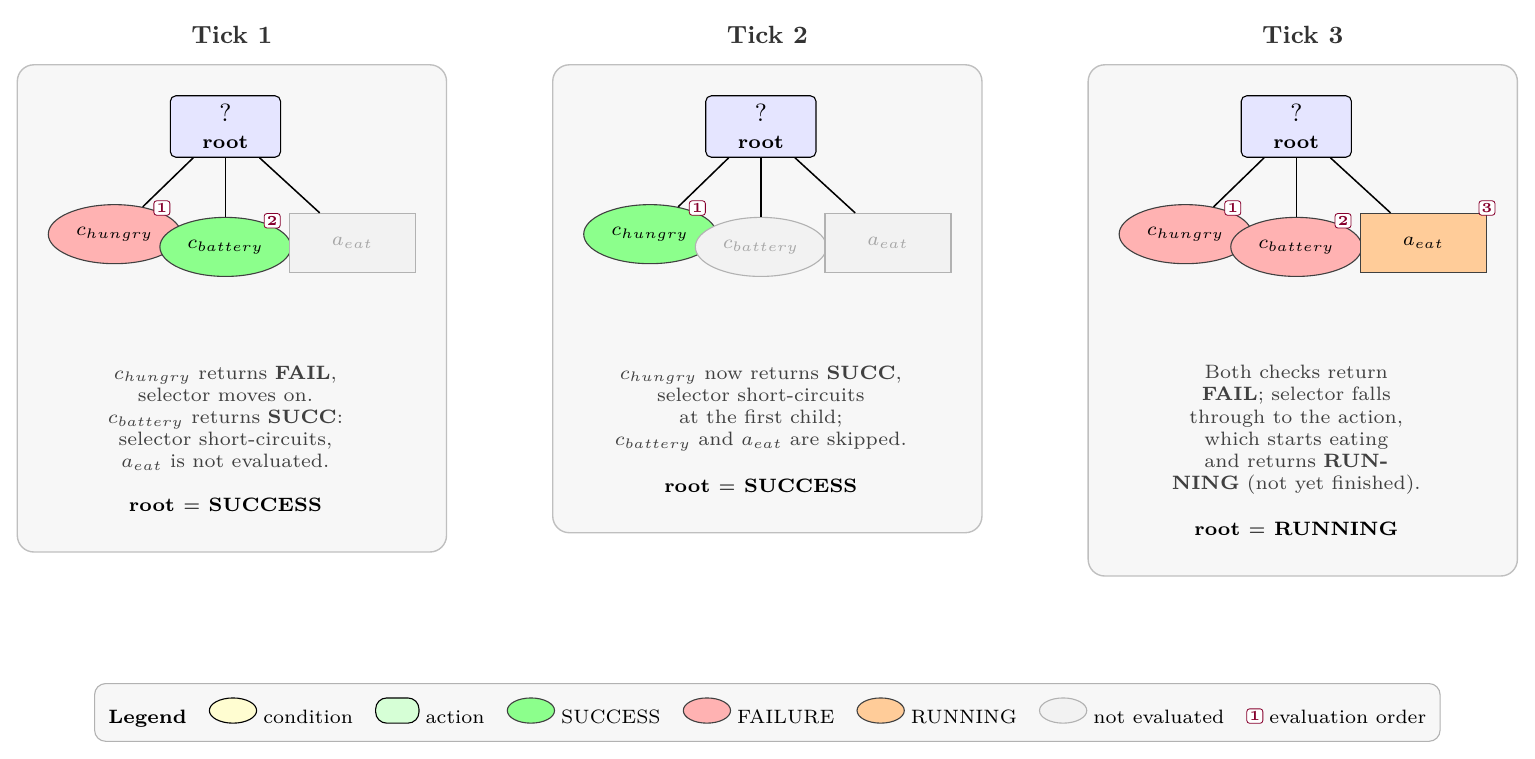
Selector semantics in three ticks. Tick 1: the first condition fails, the second succeeds; the action is never evaluated. Tick 2: the first condition short-circuits the entire selector. Tick 3: both conditions fail, the action runs and returns RUNNING.
Legibility convention
Throughout this site we write
composites with rounded blue rectangles carrying the operator symbol (\(\rightarrow\), \(?\), \(\rightrightarrows\));
decorators with rounded purple rectangles;
conditions with yellow ovals;
actions with green rectangles;
status codes as SUCCESS / FAILURE / RUNNING;
the blackboard as \(\sigma\) and the BT’s tick relation as \(\rightarrow_{BT}\).
These conventions carry over to Behavior Tree → SMV Translation, which formalises the translation, and Soundness, which proves that the SMV model’s successors match \(\rightarrow_{BT}\).
References
Colledanchise, Ögren. Behavior Trees in Robotics and AI: An Introduction. CRC Press, 2018.
Serbinowska, Johnson. BehaVerify: Verifying Temporal Logic Specifications for Behavior Trees. SEFM 2022.
Marzinotto, Colledanchise, Smith, Ögren. Towards a Unified Behavior Trees Framework for Robot Control. ICRA 2014.